
Jewelry shop POS and ledger
Asaan Jewellers POS
An offline Windows POS and ledger for gold jewelers, with daily metal rates, old-gold exchange, customer credit and artisan tracking.
- Role
- Designer and Flutter developer
- Platforms
- Desktop (Windows)
- Status
- In development
- Timeline
- 2026
- Desktop app
- Business system
Overview
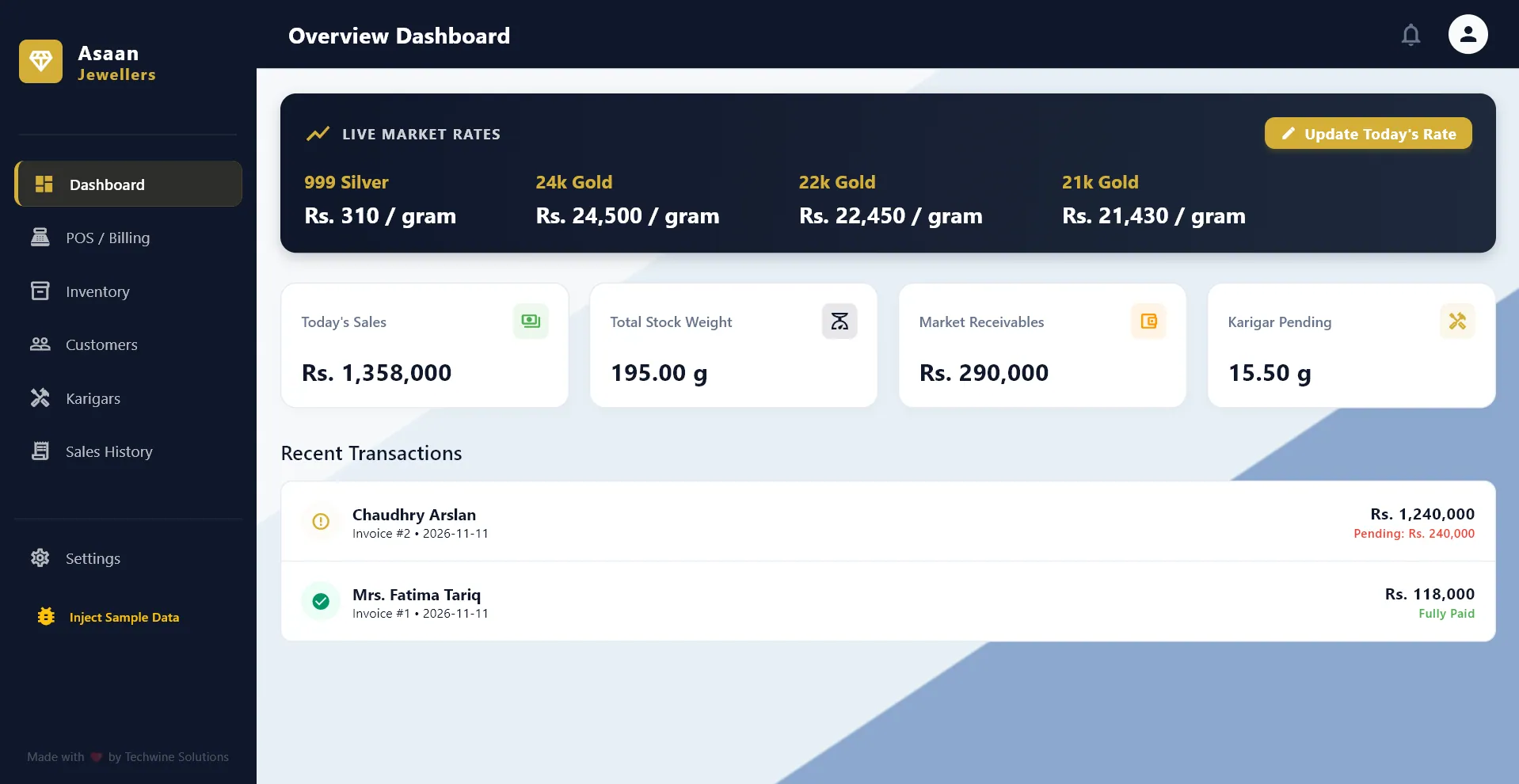
Asaan Jewellers POS is a Windows desktop app for running a traditional gold jewelry shop. It brings billing, stock, customer credit and goldsmith accounts into one offline application, so a shop can stop relying on paper khata books.
Every piece is priced from the day's metal rate for its karat, multiplied by its net weight, plus making charges. The app handles old-gold trade-ins, discounts and partial payments, and carries any unpaid amount to the customer's ledger. It also tracks raw gold handed to karigars (goldsmiths) and the finished jewelry, wastage and labor that come back.
I built it in Flutter with a local SQLite database. It is an early-stage product that has not been publicly released: the seven core modules work, and items such as barcode label printing, a daily cashbook and profit reports are still on the roadmap.
Built for: Small and medium gold and jewelry retailers, particularly South Asian shops that still keep their accounts on paper.
The problem
A jewelry shop does not have fixed prices. Gold and silver rates change daily, and each item's price depends on its karat, its net weight after stones and its making charges. Customers often pay partly in old gold, and regular customers buy on credit.
On top of retail, shops hand raw gold to outside artisans and later receive finished pieces back, with an allowance for wastage (zayan) and labor (mazdoori) owed. Keeping all of this on paper is slow, error-prone and hard to audit.
The solution
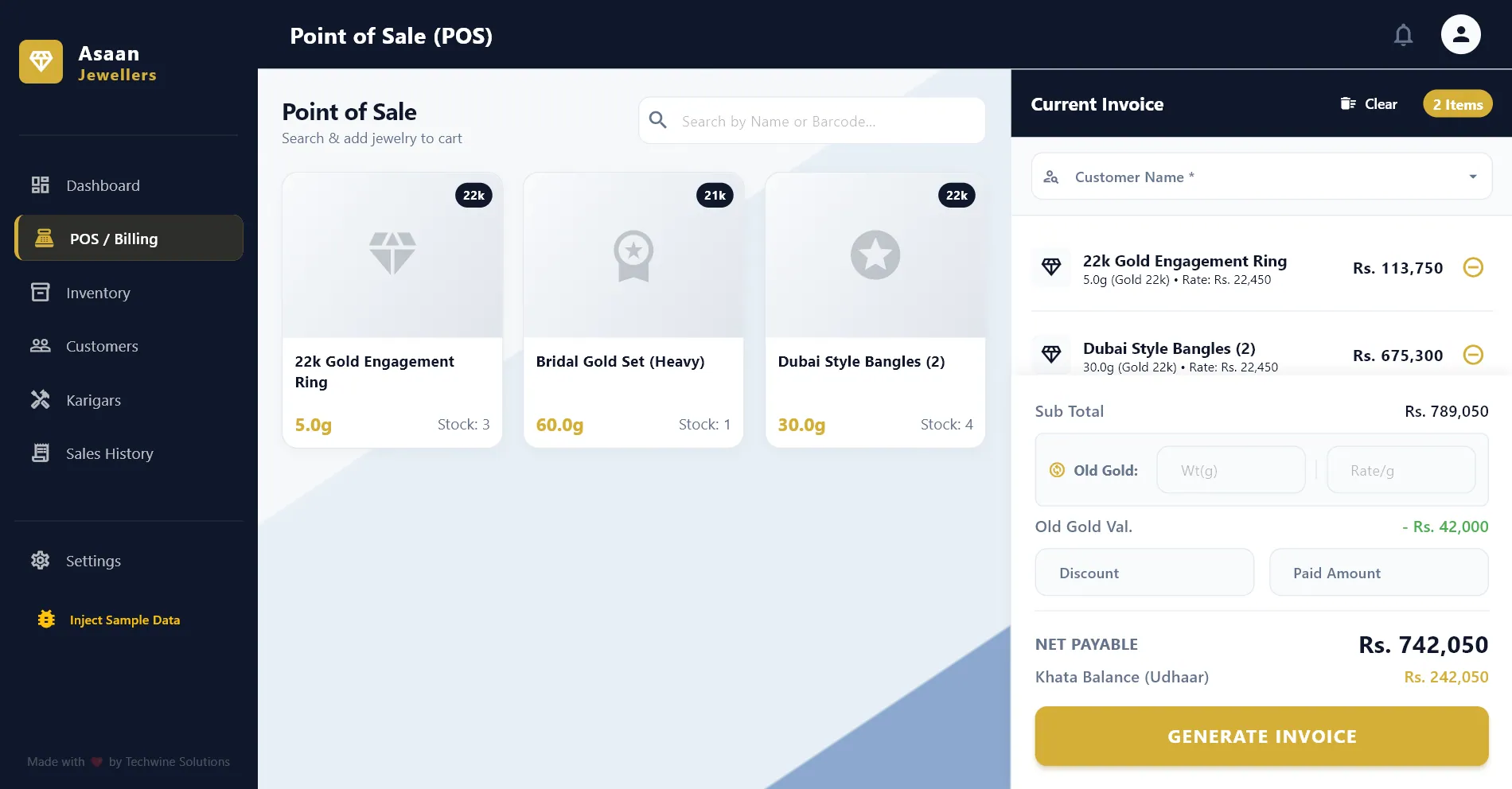
I designed a single-window desktop app with a sidebar of modules: dashboard, POS, inventory, customers, karigars, sales history and settings. At checkout the POS looks up the latest rate for each metal and karat, saves the invoice header and line items, reduces stock and moves any unpaid balance to the customer's khata.
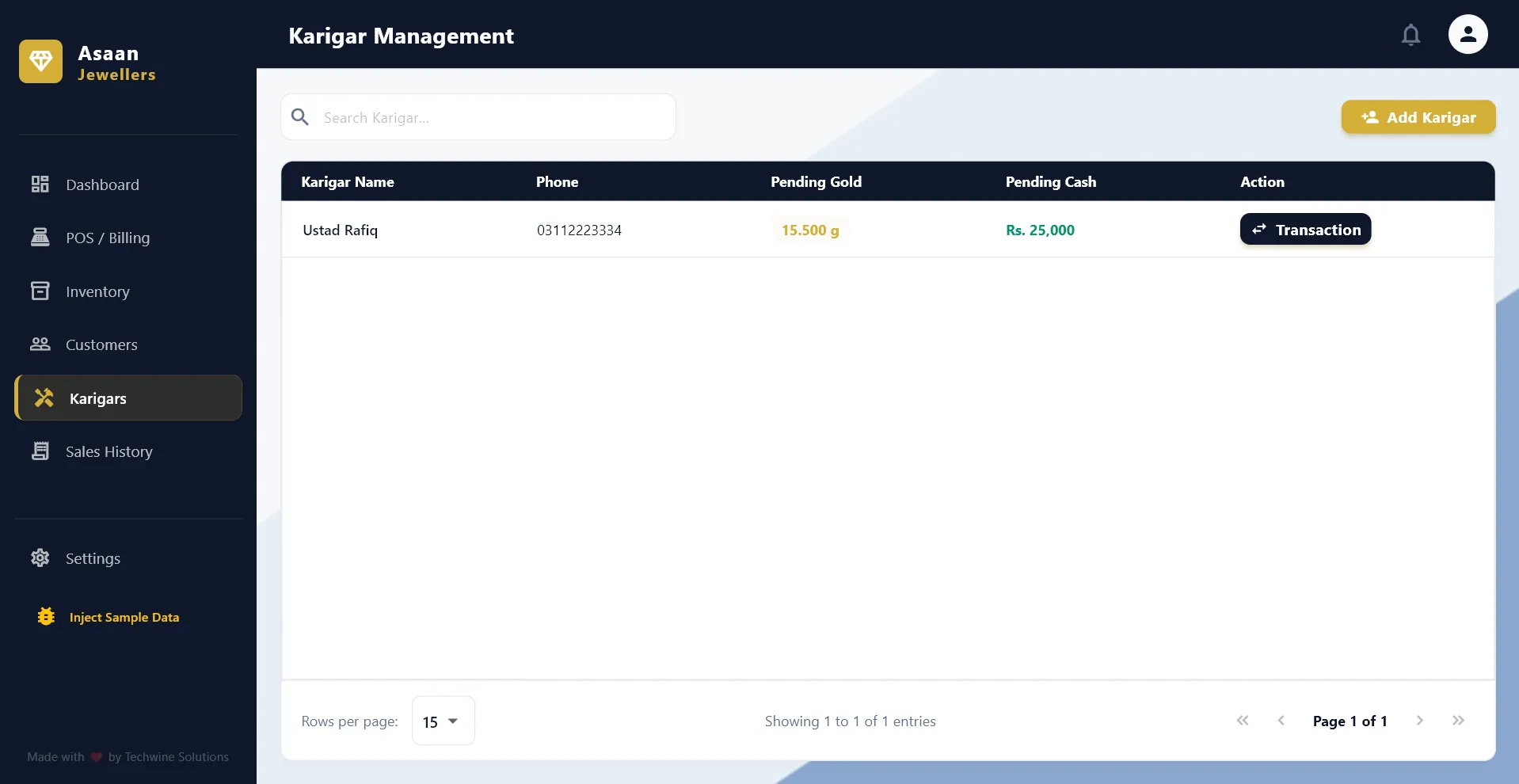
A separate karigar module records three kinds of transactions (raw gold issued, finished jewelry received and cash paid), and each one updates that artisan's gold and cash balances automatically. Everything is stored locally, with one-click database backup and restore, so the shop does not depend on an internet connection.
Main features
Daily rates and rate-based billing
An update dialog sets today's per-gram rate for each metal and karat, such as 24k, 22k and 21k gold and 999 silver. At the POS, each line is priced as net weight times that rate, plus making charges.
Old-gold exchange and partial payment
The value of old gold brought in (weight times rate) is deducted from the subtotal, followed by any discount. The cashier sees the net payable and the remaining khata balance update as they type.
Jewelry inventory
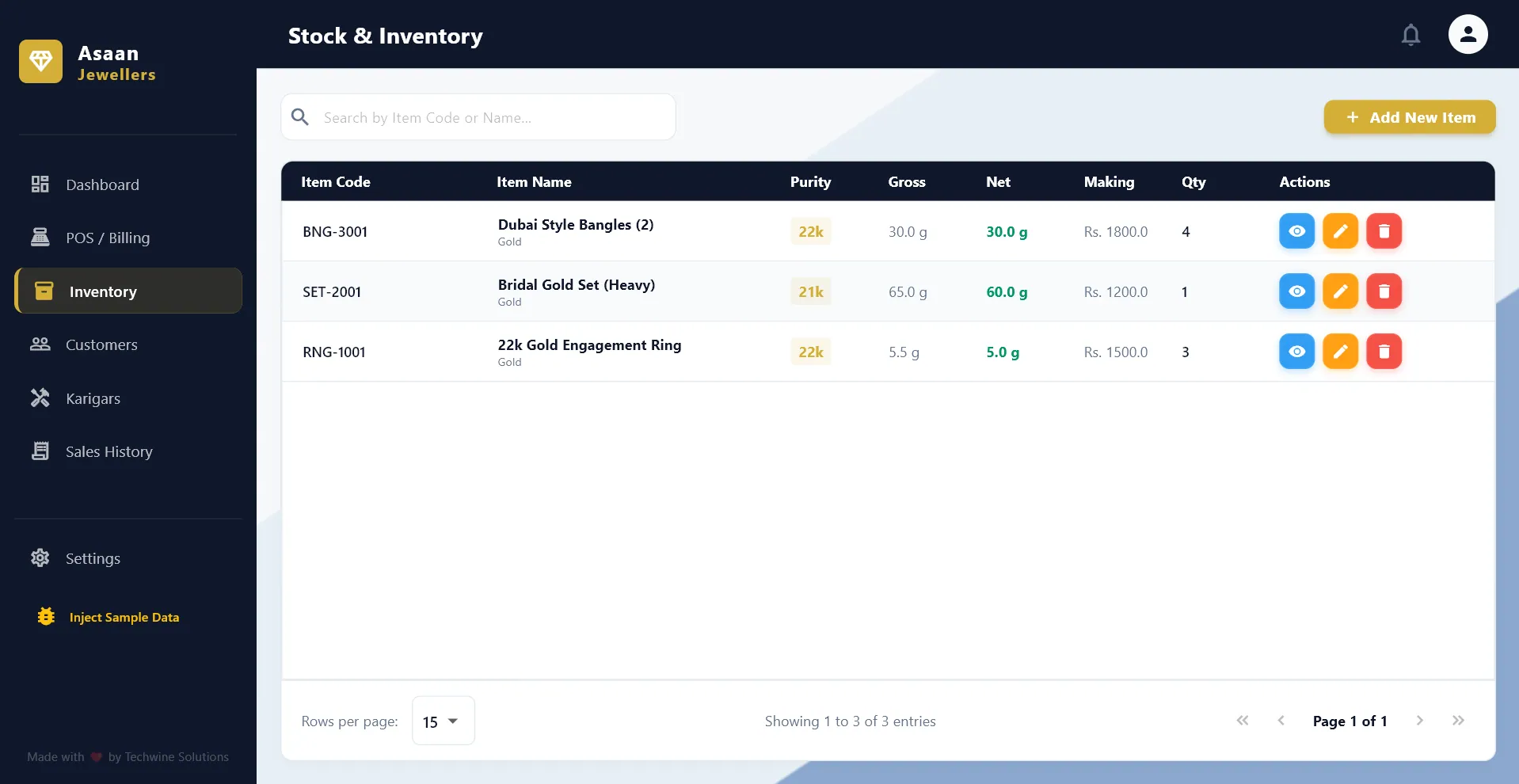
Items carry a code or barcode, category, metal, karat, gross and stone weight, making charges, quantity and up to five photos. Net weight is calculated automatically.
Customer ledgers (khata)
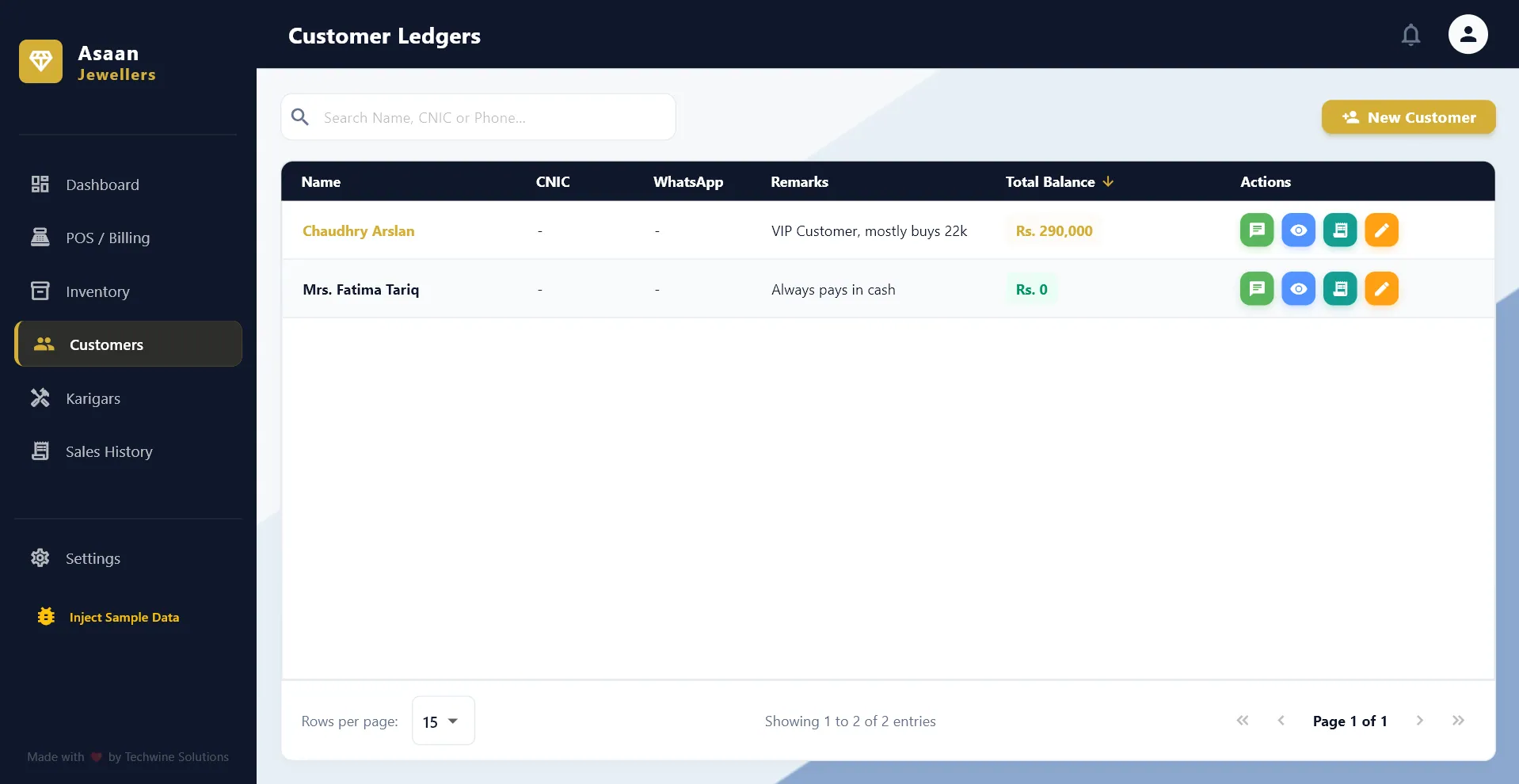
Each customer has contact details, an opening balance and an account ledger of their invoices, with a sortable total balance. A WhatsApp button opens a chat with the customer directly.
Karigar metal and labor accounts
Issuing raw gold adds to a goldsmith's gold balance. Receiving finished jewelry deducts its weight plus wastage and adds making charges to the cash owed, and cash payments reduce that amount.
Sales history and payment collection
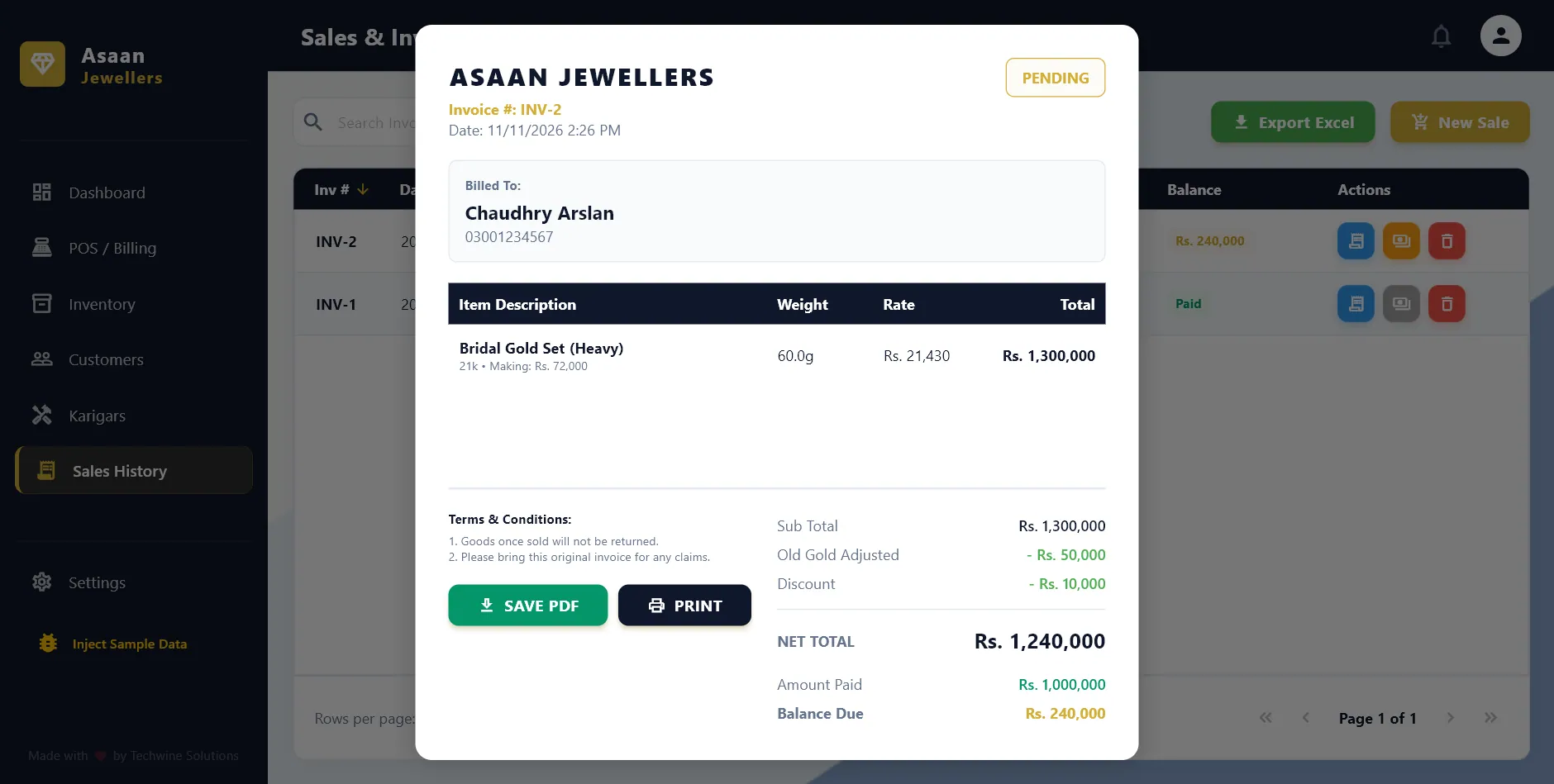
A paginated, sortable invoice list with date filtering and search by invoice number or customer. Staff can record a pending payment later, and deleting an invoice returns its items to stock.
PDF invoices, printing and Excel export
Invoices show a paid or pending badge, weight, rate, making charges, old-gold adjustment and terms. They can be saved as PDF or printed, and the filtered sales list exports to Excel.
Shop settings and backup
The shop's name, logo, contact details, receipt terms and currency symbol are configurable. The whole SQLite database can be exported to a backup file and restored from one.
Inside the product
Screens from the software itself. Design prototypes and illustrative mockups are labelled as such.
Development and architecture
The app is an offline-first Flutter desktop application targeting Windows. There is no server: all business logic runs in Dart controllers inside the app, and data lives in a local SQLite database in the user's Documents folder.
I organized the code feature-first, with each module holding its own controllers, screens and widgets. State is managed with Provider, and the screens sit in an IndexedStack so each module keeps its place and reloads its data when its tab is opened. The interface uses Material 3 with a custom navy and gold theme and shared table and pagination components.
- Normalized SQLite schema
- Eight related tables cover settings, metal rates, products, customers, sales headers and lines, karigars and karigar transactions, with foreign keys between them. On desktop, sqflite runs through its FFI backend.
- Pricing engine keyed by metal and karat
- The latest rate for each metal and karat combination is loaded into a lookup, so every cart line is priced from that day's rate rather than a fixed product price.
- Invoices that keep their original prices
- I chose a master and detail invoice structure that stores the rate and making charges applied at the time of sale, so past invoices stay accurate when rates change.
- Receivables derived, not duplicated
- A customer's balance is calculated in SQL from their opening balance plus the unpaid amounts on their invoices, which avoids a separate running total drifting out of sync.
- Goldsmith workflow as a ledger
- Karigar transactions model how shops actually work with artisans: metal out, finished weight and wastage back, and labor payable settled in cash.
- Documents and integrations
- Invoices are generated with the pdf package and sent to the system printer with printing. Sales export to .xlsx, native file dialogs handle backups and images, and WhatsApp opens through a click-to-chat link.
Technology
- Flutter
- Dart
- SQLite
- Provider
- Material 3
- sqflite (FFI)
- pdf and printing
- Excel export
- WhatsApp click-to-chat
- Windows desktop
Related projects
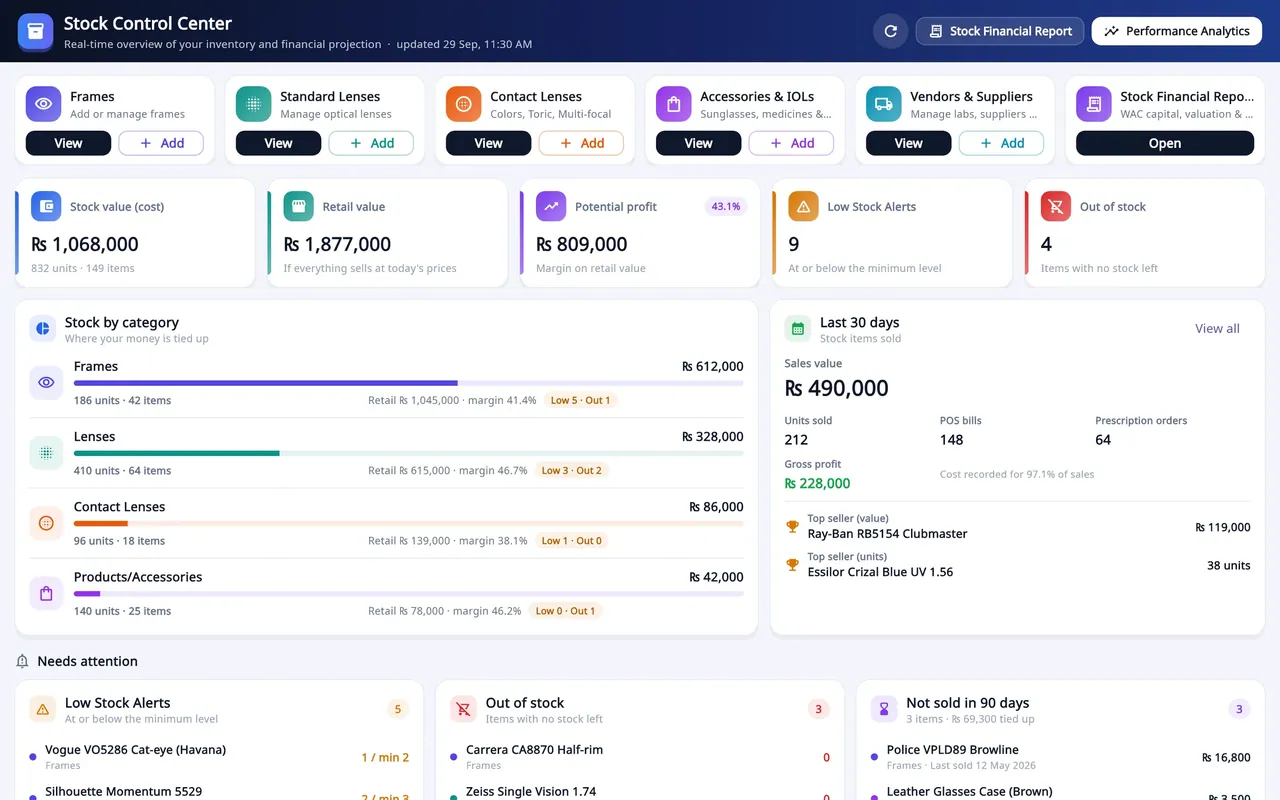
Optical shop management SaaS
Asaan Optics
Optical shop software for Android and Windows: prescriptions, counter sales, stock and staff shifts on one shared shop account.
- SaaS product
- Mobile app
- Desktop app
- Business system
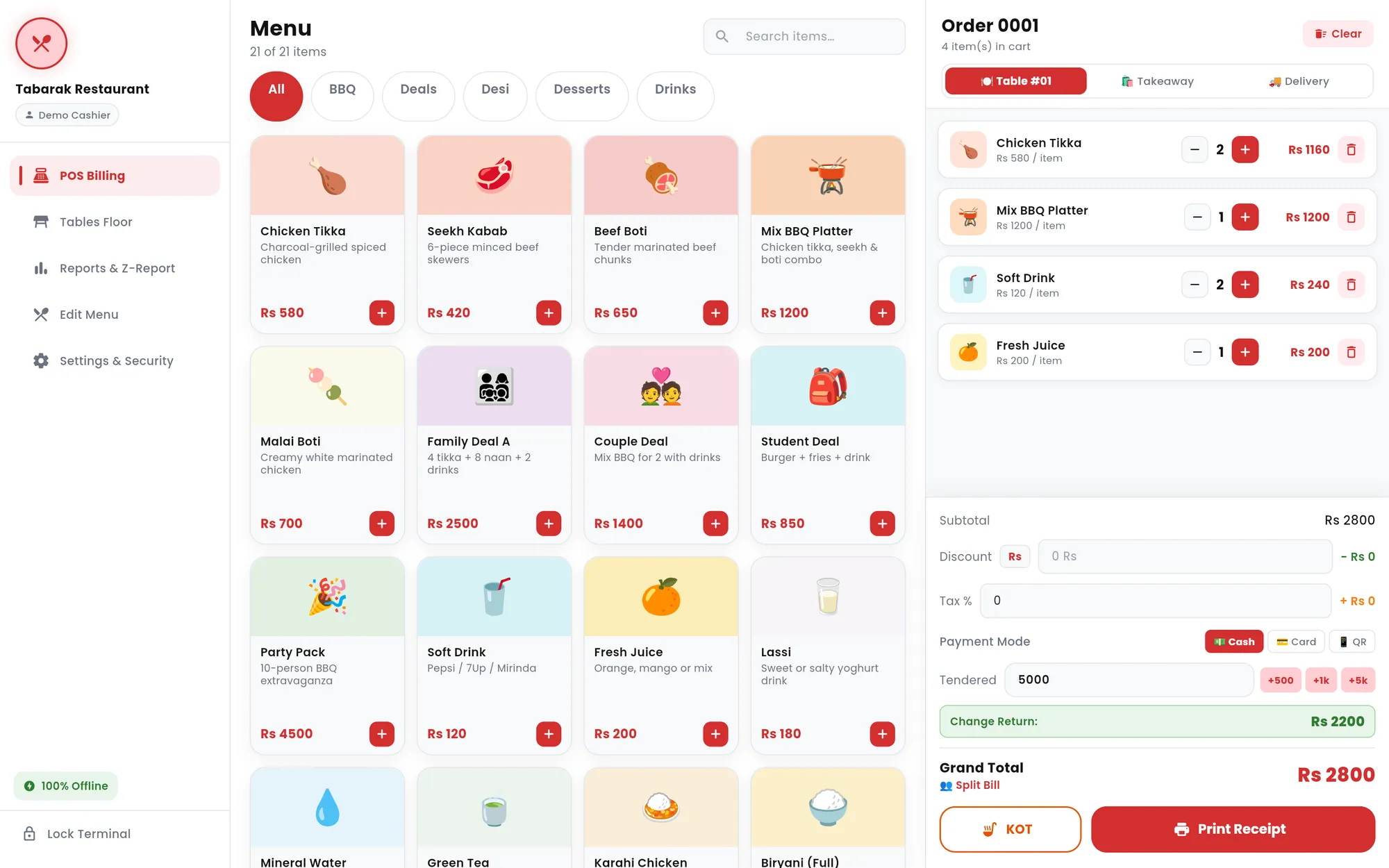
Offline restaurant POS
Tabarak POS
An offline-first restaurant point of sale for tablets and Windows PCs, with billing, kitchen tickets, tables, reports and thermal receipts.
- Desktop app
- Mobile app
- Business system
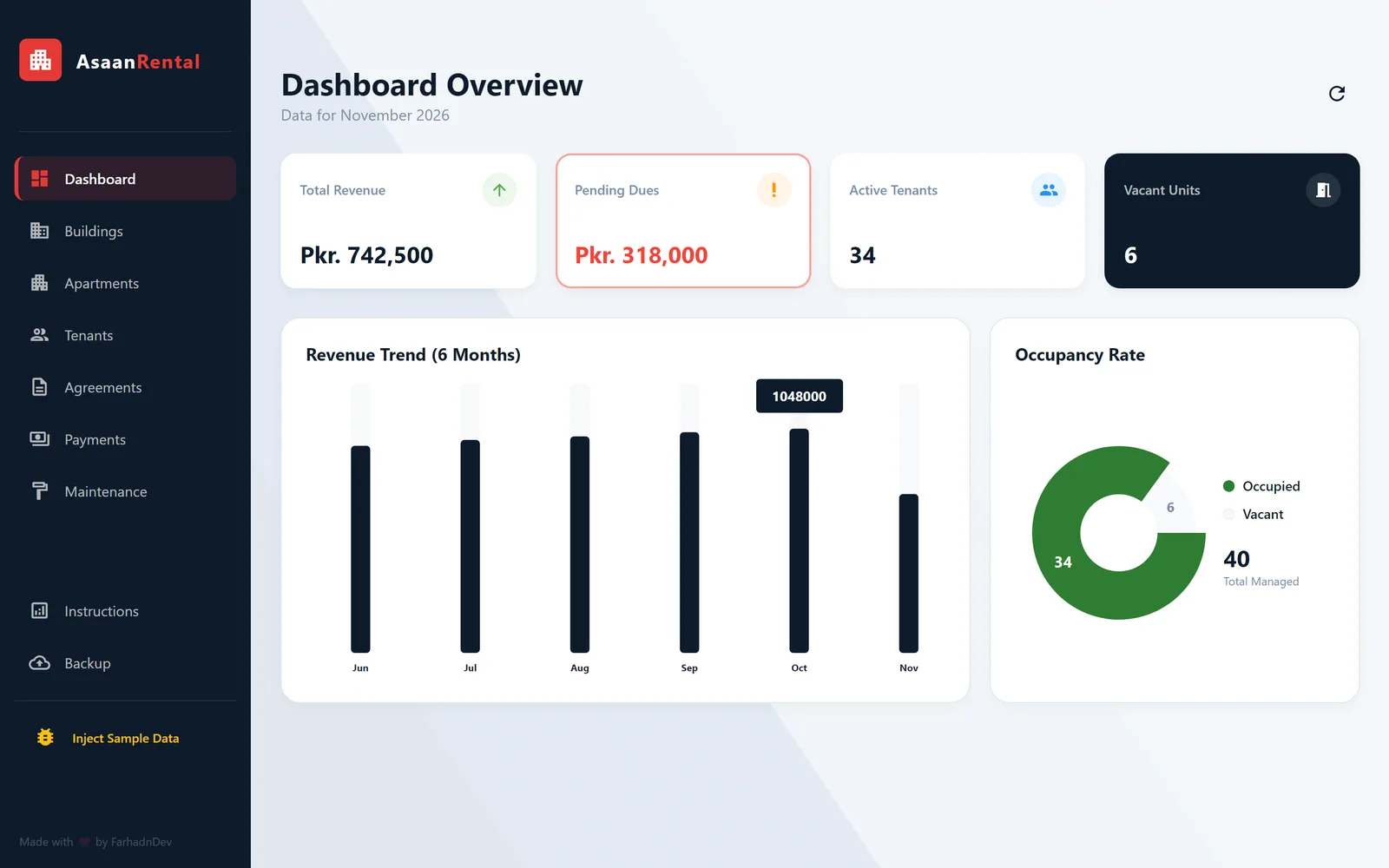
Rental property management desktop app
Asaan Rental Pro
An offline Windows desktop app for landlords to manage buildings, tenants, leases, monthly rent and maintenance in one place.
- Desktop app
- Business system
Have a software idea or a business process that needs a proper system?
Tell me what you are trying to fix. I will reply with honest questions, a practical plan and a realistic estimate.