
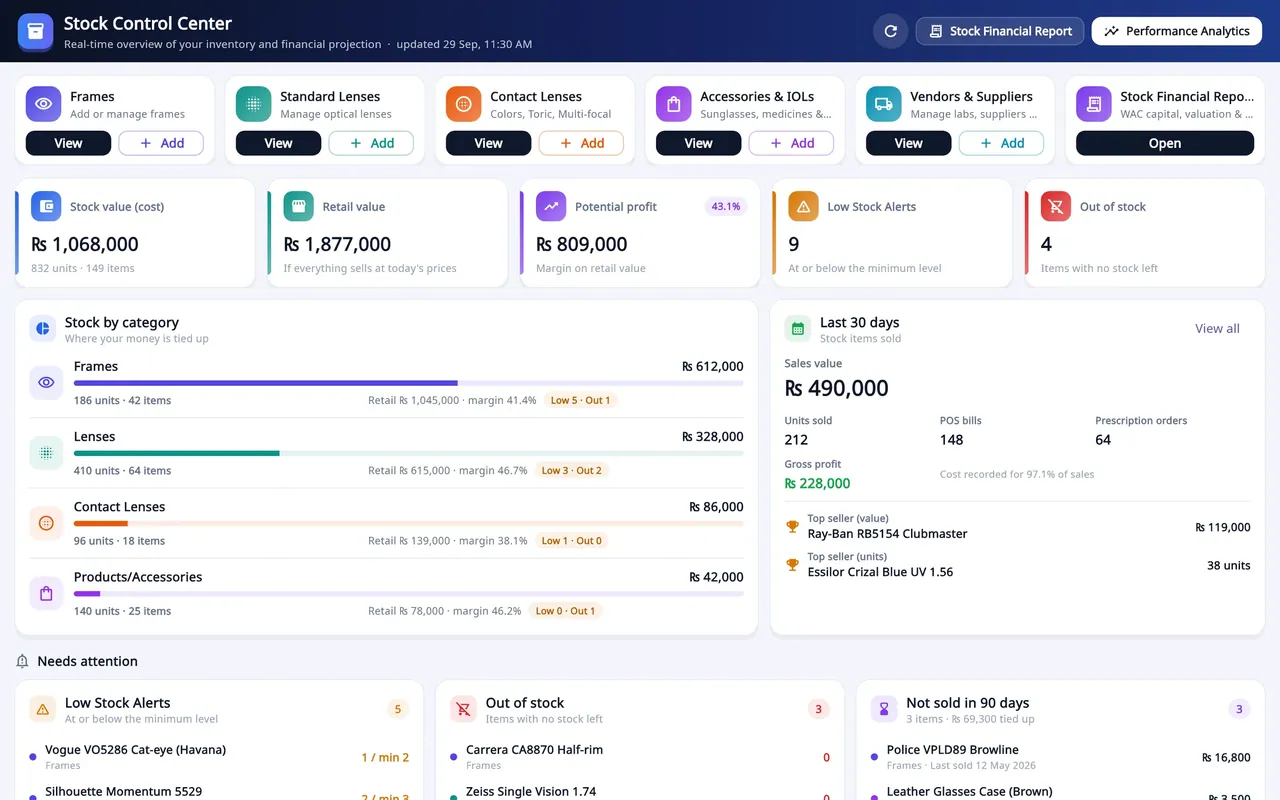
Optical shop management SaaS
Asaan Optics
Optical shop software for Android and Windows: prescriptions, counter sales, stock and staff shifts on one shared shop account.
- SaaS product
- Mobile app
- Desktop app
- Business system
Many businesses still run on a Windows PC at the counter. I build desktop applications in Flutter that run natively on Windows, store data locally in SQLite, print receipts and labels, and install with a proper setup file. When the business needs it, the same app also syncs with a cloud backend and with phones.
My desktop work includes Asaan Optics Desktop Pro, which updates itself from the Asaan Optics website, a multi-branch build of it for an optical retail chain, Asaan Rental Pro for landlords, Tabarak POS for restaurant counters and Asaan Jewellers POS, a point of sale for gold jewelry shops that is still in development.
Keyboard-friendly screens and layouts designed for a monitor, not a stretched phone app.
SQLite storage on the PC with backup and restore. Asaan Rental Pro can also back up to the user's own Google Drive every hour.
Thermal receipts sized for 58 mm and 80 mm paper, A4 invoices and PDFs, kitchen tickets and barcode labels, including Arabic and Urdu text on receipts.
One account shared between the PC and phones, with an offline queue that syncs without duplicates, as in Asaan Optics.
Branded Windows installers, and an updater that downloads and installs new versions silently.
PIN or password login, staff permissions, and sign-in tokens kept in Windows secure storage.
Dashboards, charts, shift and Z-reports, and Excel or PDF exports.
I use Flutter for Windows because it produces a native desktop build and lets the same business logic serve a mobile app when one is needed. Asaan Optics works this way: the Windows app and the Android app work from the same shop records.
I decide early what lives on the PC. Asaan Rental Pro, Tabarak POS and Asaan Jewellers POS run fully offline on local storage, and the rental and jewelry apps can export backup files. Asaan Optics Desktop Pro keeps POS shifts and the cash-drawer ledger in a local SQLite store on each terminal, while customer and stock data sync with the cloud.
For shops in Saudi Arabia, I built ZATCA Phase 2 e-invoicing into Asaan Optics Desktop Pro as its own Dart package: each PC acts as an e-invoicing unit, keeps its signing key in Windows secure storage and signs simplified invoices with the Phase 2 QR code before printing. Installation is part of the product too, with a per-user install so updates need no administrator prompt.
How sales, stock and records are handled today, which printers are used and how many PCs and branches are involved.
What is stored on each PC, what syncs to the cloud, and how backups and restores work.
Screens, receipts, labels and reports, tested against the paper sizes and printers the business uses.
A branded Windows installer, versioning and, where needed, an in-app updater.
Installation, data import, staff training, then updates delivered through the installer or updater.
Optical shop management SaaS
Optical shop software for Android and Windows: prescriptions, counter sales, stock and staff shifts on one shared shop account.
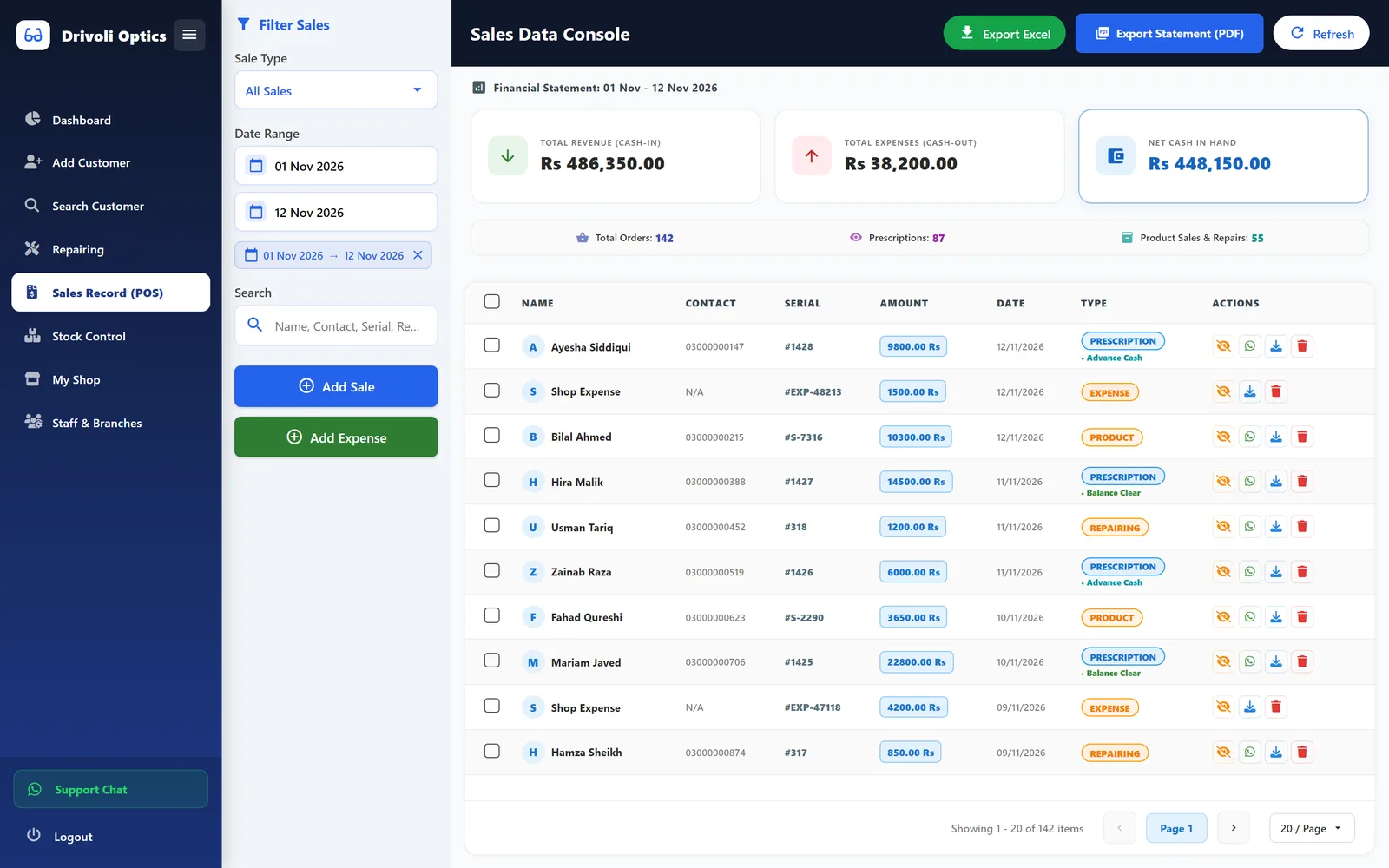
Optical retail POS and prescription system
A multi-branch Windows desktop system for an optical retailer, covering prescriptions, stock, counter sales, repairs and supplier ledgers.
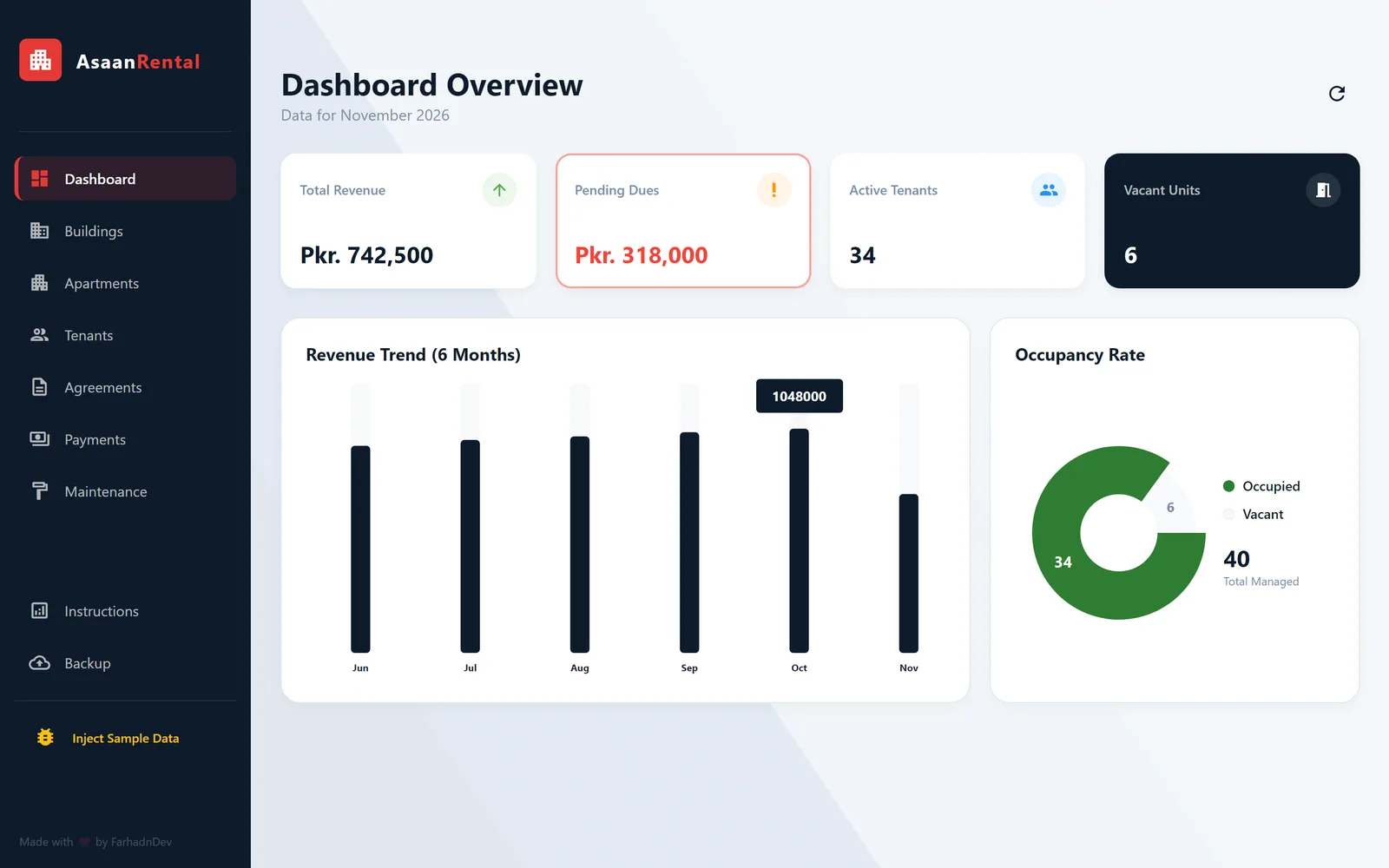
Rental property management desktop app
An offline Windows desktop app for landlords to manage buildings, tenants, leases, monthly rent and maintenance in one place.
Yes. Farhad builds Windows desktop applications in Flutter, including Asaan Optics Desktop Pro, Asaan Rental Pro, Tabarak POS and a multi-branch system for an optical retail chain. They ship with Windows installers, and Asaan Optics Desktop Pro updates itself.
Flutter compiles to a native Windows app and lets the same code and business rules serve Android and iOS if you need a mobile app later. Asaan Optics uses this, with its Windows and Android apps working from the same records.
It can. Asaan Rental Pro, Tabarak POS and Asaan Jewellers POS run entirely on the PC, and the rental and jewelry apps include local backup and restore. Asaan Optics records sales offline and syncs when the connection returns.
Yes. My desktop apps print thermal receipts sized for 58 mm and 80 mm paper, A4 invoices, kitchen tickets and barcode labels through the Windows print system. Receipts can include Arabic and Urdu text.
Yes. I built ZATCA Phase 2 e-invoicing into Asaan Optics Desktop Pro: UBL invoice XML, cryptographic stamping, the Phase 2 QR code, device onboarding and reporting to the Fatoora platform. For a new system, onboarding is done with the business's own ZATCA registration.
Through a new installer or, where it makes sense, an in-app updater. Asaan Optics Desktop Pro checks the latest version published on its website, can require an update below a minimum version and installs it silently without an administrator prompt.
Tell me what you are trying to fix. I will reply with honest questions, a practical plan and a realistic estimate.