
ERP for software houses and agencies
SoftHouse Pro ERP
A Laravel ERP that gives software houses one place for projects, attendance, performance scoring, invoicing and a client portal.
- Role
- Sole developer: design, build and deployment
- Platforms
- Web, Backend & API
- Status
- Delivered to client
- Timeline
- 2026
- Web application
- SaaS product
- Business system
Overview
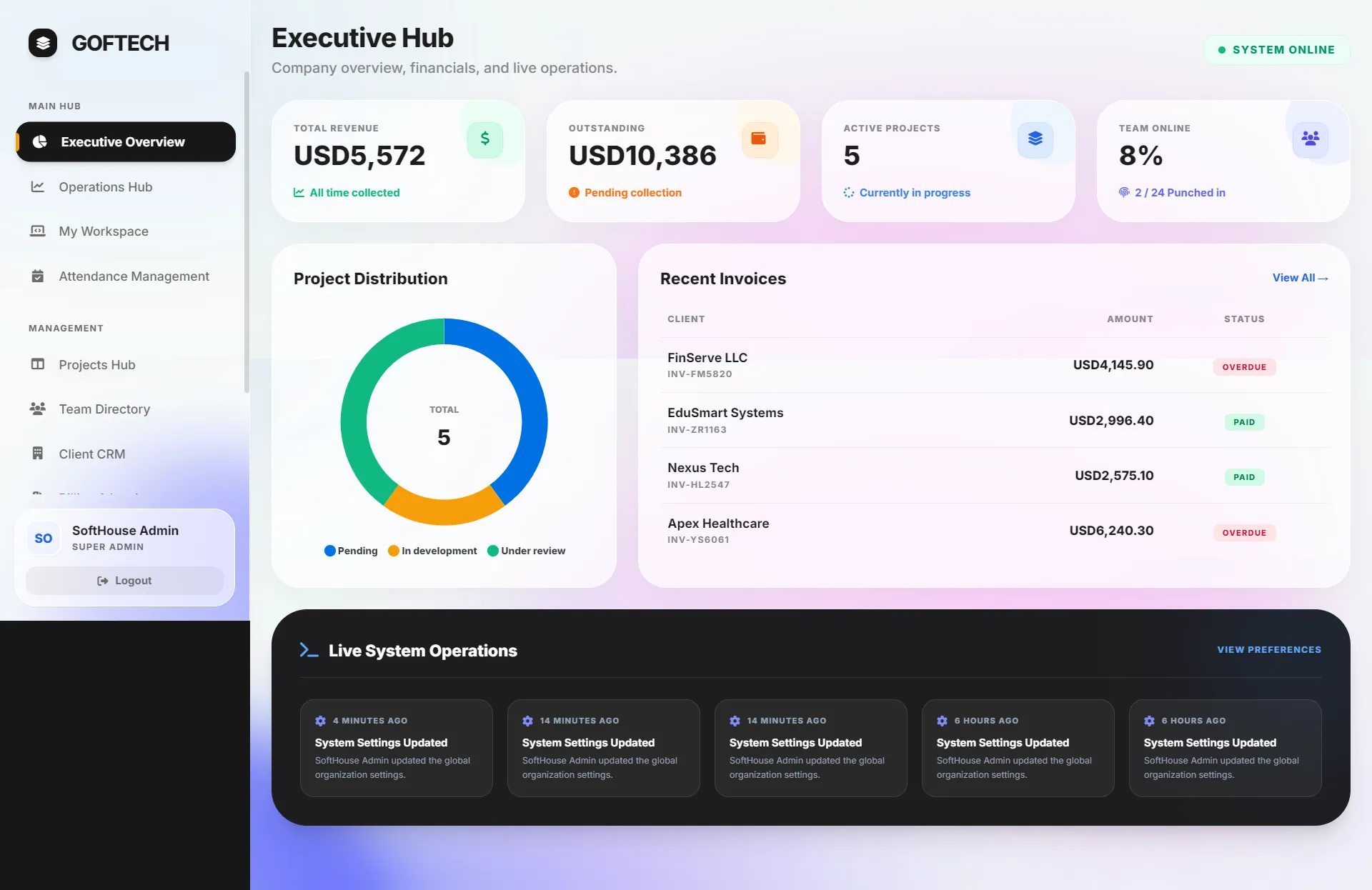
SoftHouse Pro is a web-based ERP built for a software house. It brings project management, HR, attendance, time tracking, client management and billing into one Laravel application instead of a set of separate tools.
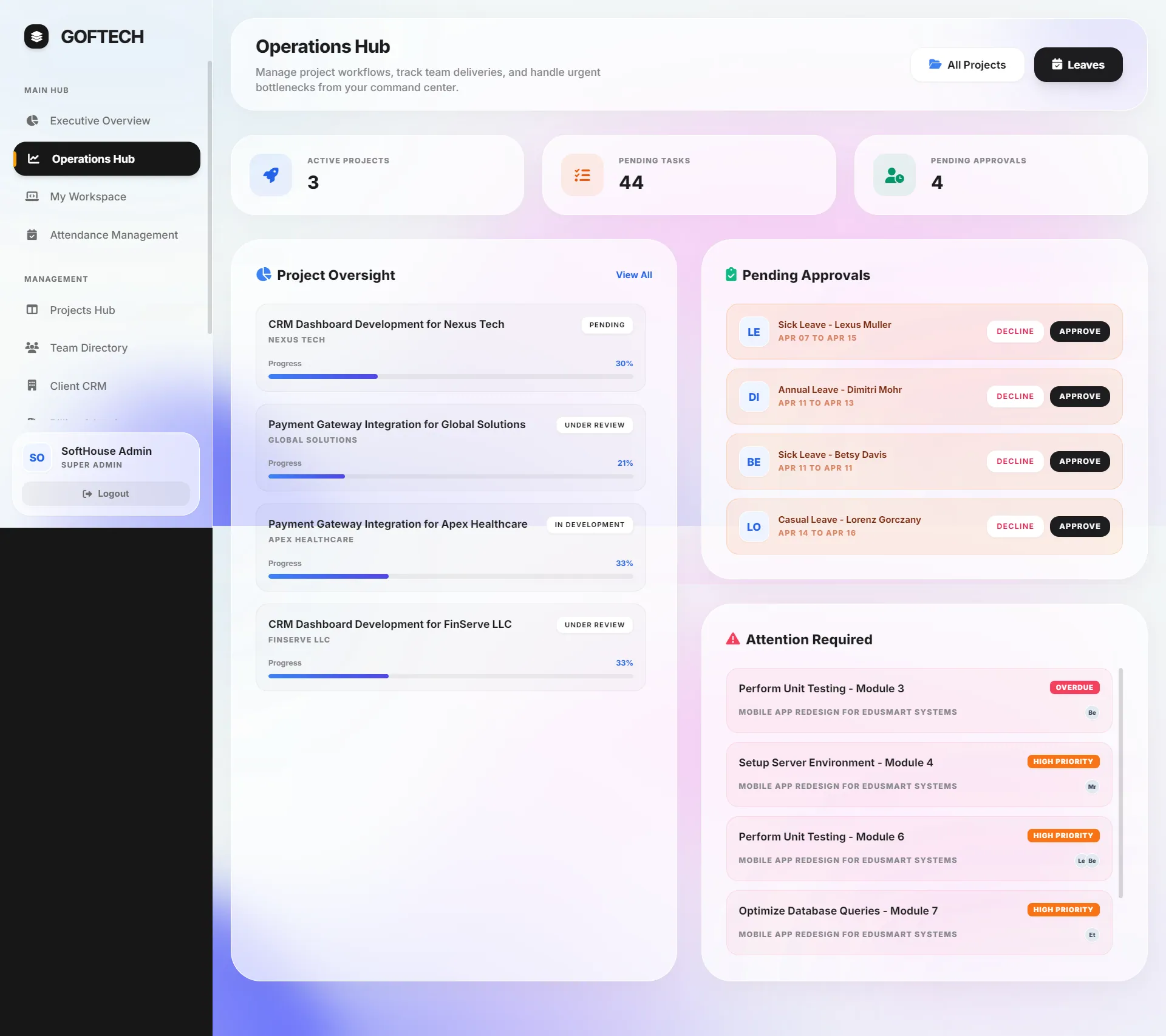
The app has four roles, each with its own portal: an Executive Hub for the owner, an Operations Hub for managers, a personal Workspace for developers, designers and QA staff, and a restricted Client Portal where clients follow their own projects and invoices.
I designed it as static HTML prototypes first, then built the Laravel app, deployed it for the agency and wrote the user manual it was handed over with. I delivered it through Techwine Solutions, my software studio.
Built for: Owners, project managers and staff at software houses and digital agencies, plus the clients those agencies work for.
The problem
Software agencies often juggle separate apps for attendance, project tracking, client communication and invoicing, which leaves management without a single view of revenue, project progress, team availability and individual performance.
Attendance needed to be fair and auditable. Late arrivals had to be recorded against real office hours, and the system had to stop one employee from punching in on behalf of another.
The solution
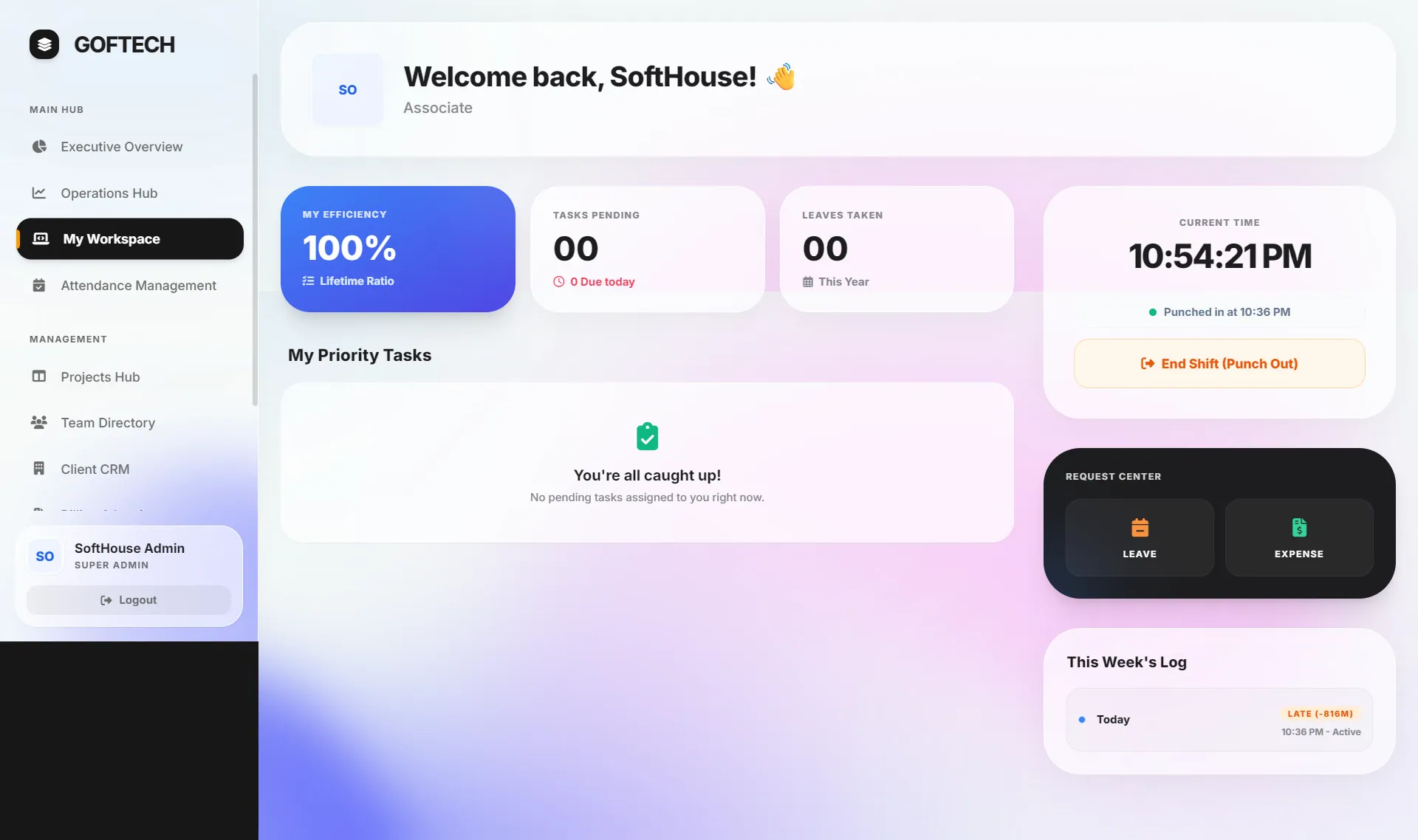
I built a single app on the TALL stack (Tailwind CSS, Alpine.js, Laravel and Livewire) with role-gated routes. Associates punch in and out from their Workspace, managers run Kanban boards and approve leave, the super admin sees financial KPIs and an operations log, and clients see only their own work.
Attendance is checked against configurable office hours and a grace period, restricted to whitelisted office IP addresses for office-based staff and protected against proxy punch-ins. Each employee gets a performance score that combines task completion and attendance reliability with a clear, documented formula.
Main features
Four role-based portals
Super admin, manager, associate and client roles are enforced by custom middleware, and each role lands on its own dashboard after login.
Punch-in, punch-out and break tracking
Associates start and end their shift from the Workspace. Each punch-in is marked present or late against office start time plus a grace period, and breaks are logged separately and totalled per day.
Office IP restriction and proxy prevention
Office-based staff can only punch in from whitelisted office IP addresses, while remote employees skip that check. A per-day device cookie blocks a second employee from punching in on the same browser.
Automated late-arrival emails
A scheduled command runs every minute and, just after the start time plus grace period has passed, emails associates and managers who have not punched in. Employees who punch in late get an email straight away.
Employee performance score
Each profile shows task completion, attendance reliability and an overall score weighted 60% on tasks and 40% on attendance, with filters for 7 days, 30 days, last month and 3 months.
Kanban board with undo
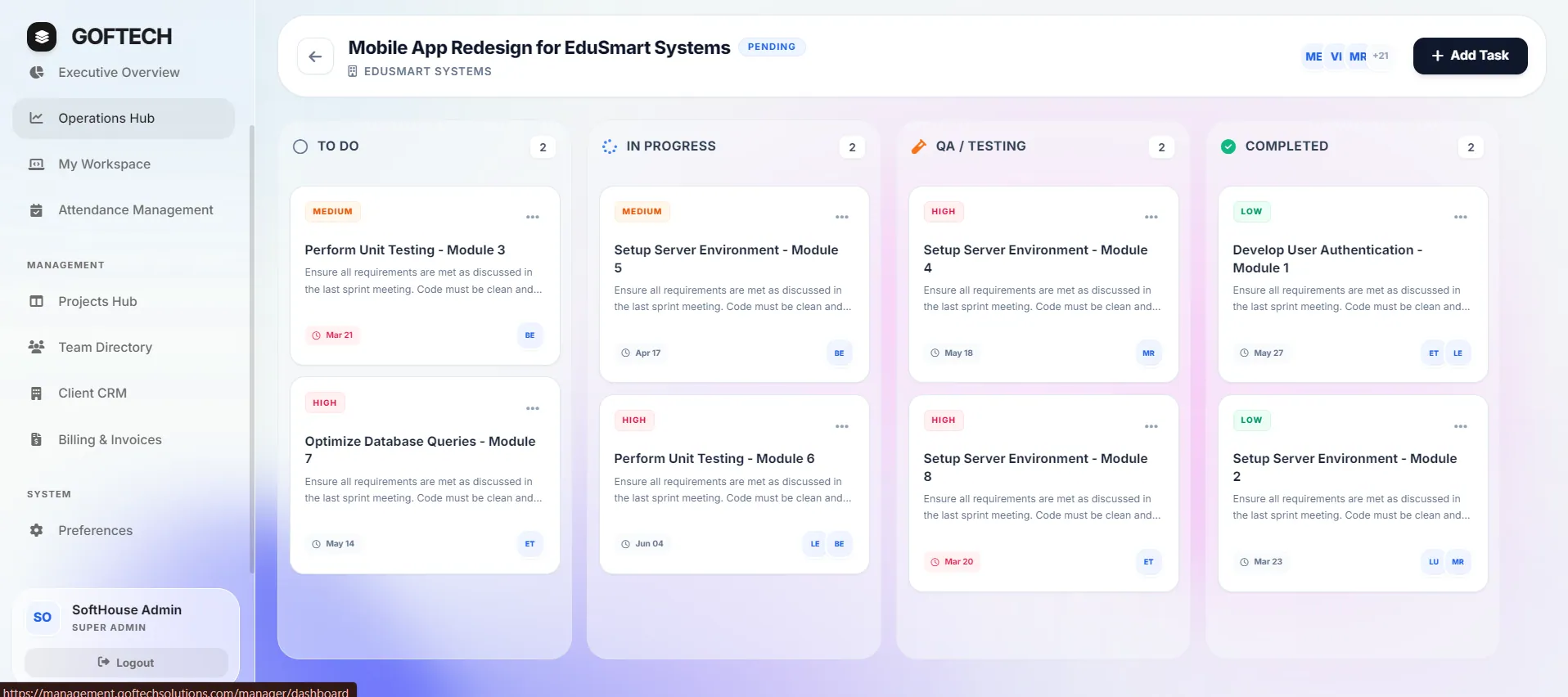
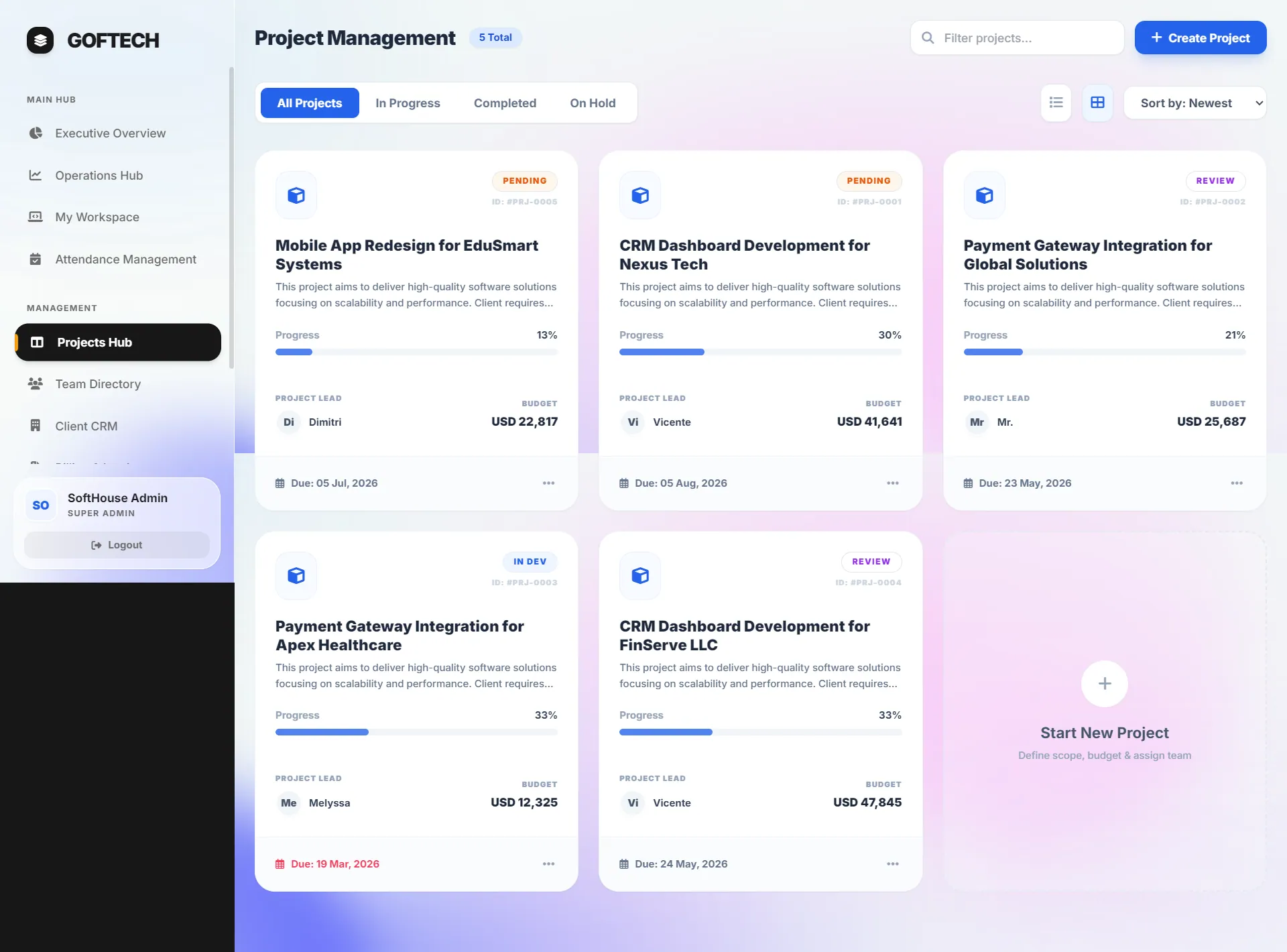
Tasks move between To Do, In Progress, QA/Testing and Completed by drag and drop. Every move updates the project's progress percentage, and the last move can be undone.
Task detail with live timer
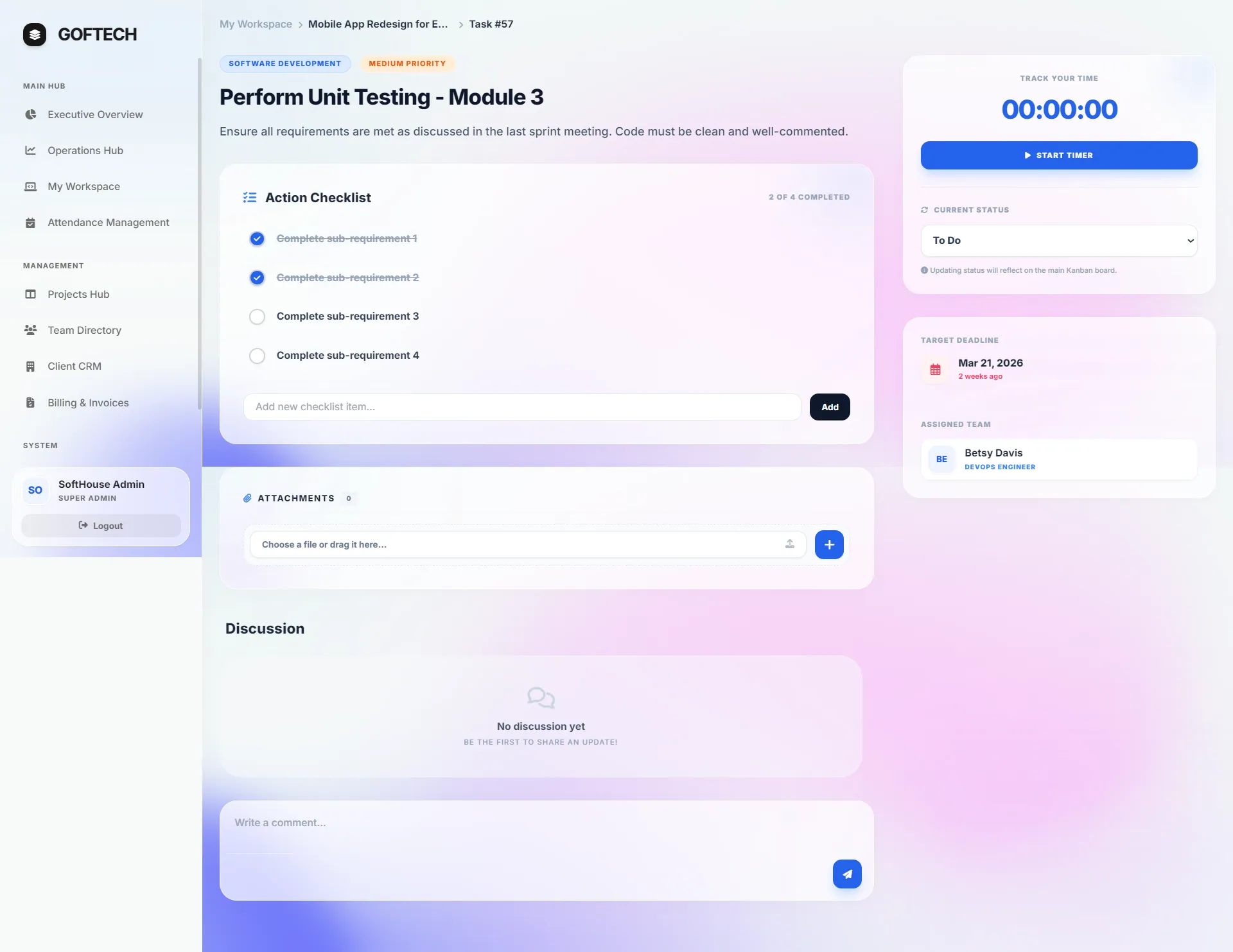
Each task has a checklist, discussion comments, file attachments and a start/stop timer that records time logs and shows a running clock.
Leave management
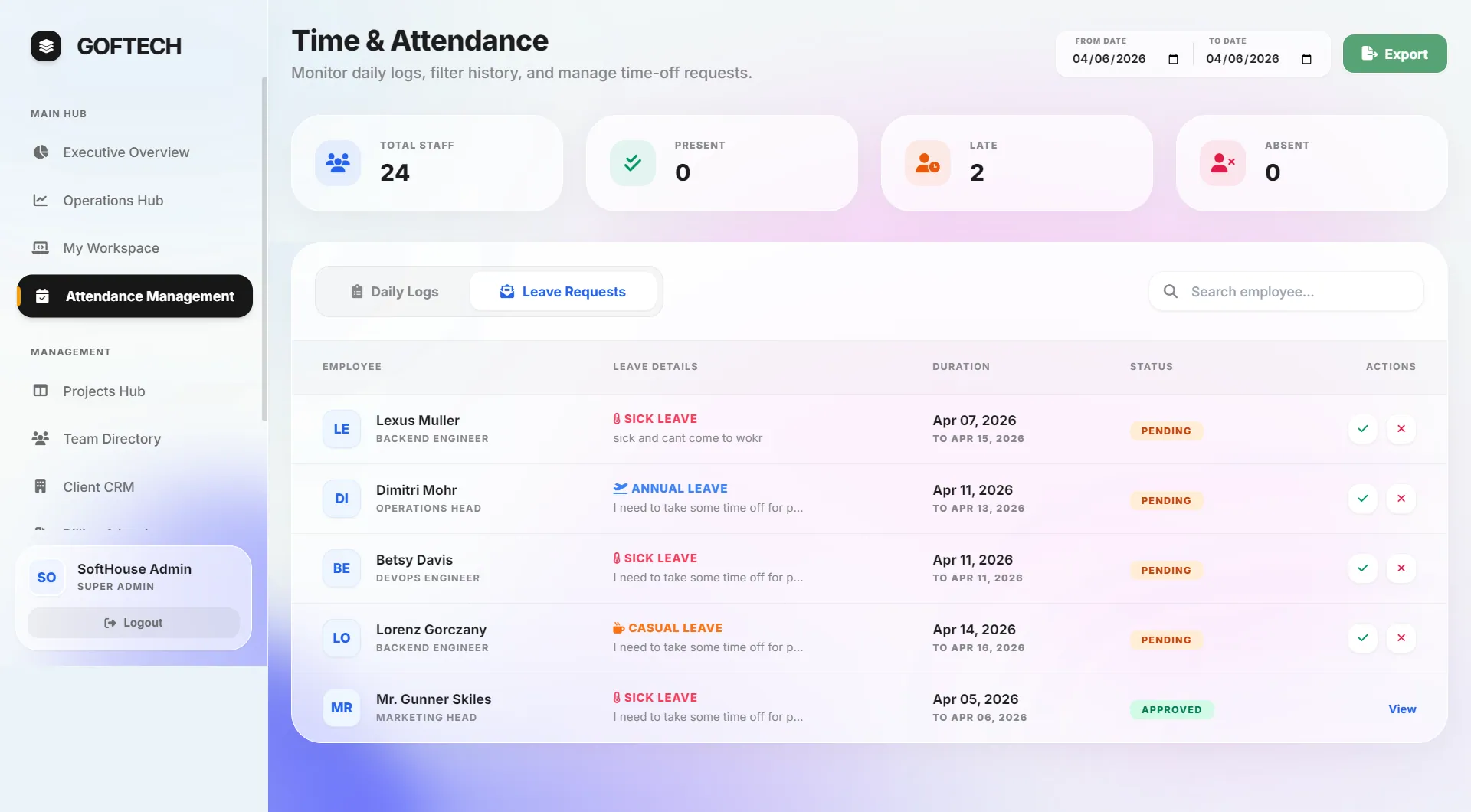
Staff request sick, casual or annual leave, managers approve or decline in one click, and daily attendance logs can be filtered by date and exported to CSV.
Client CRM and invoice builder
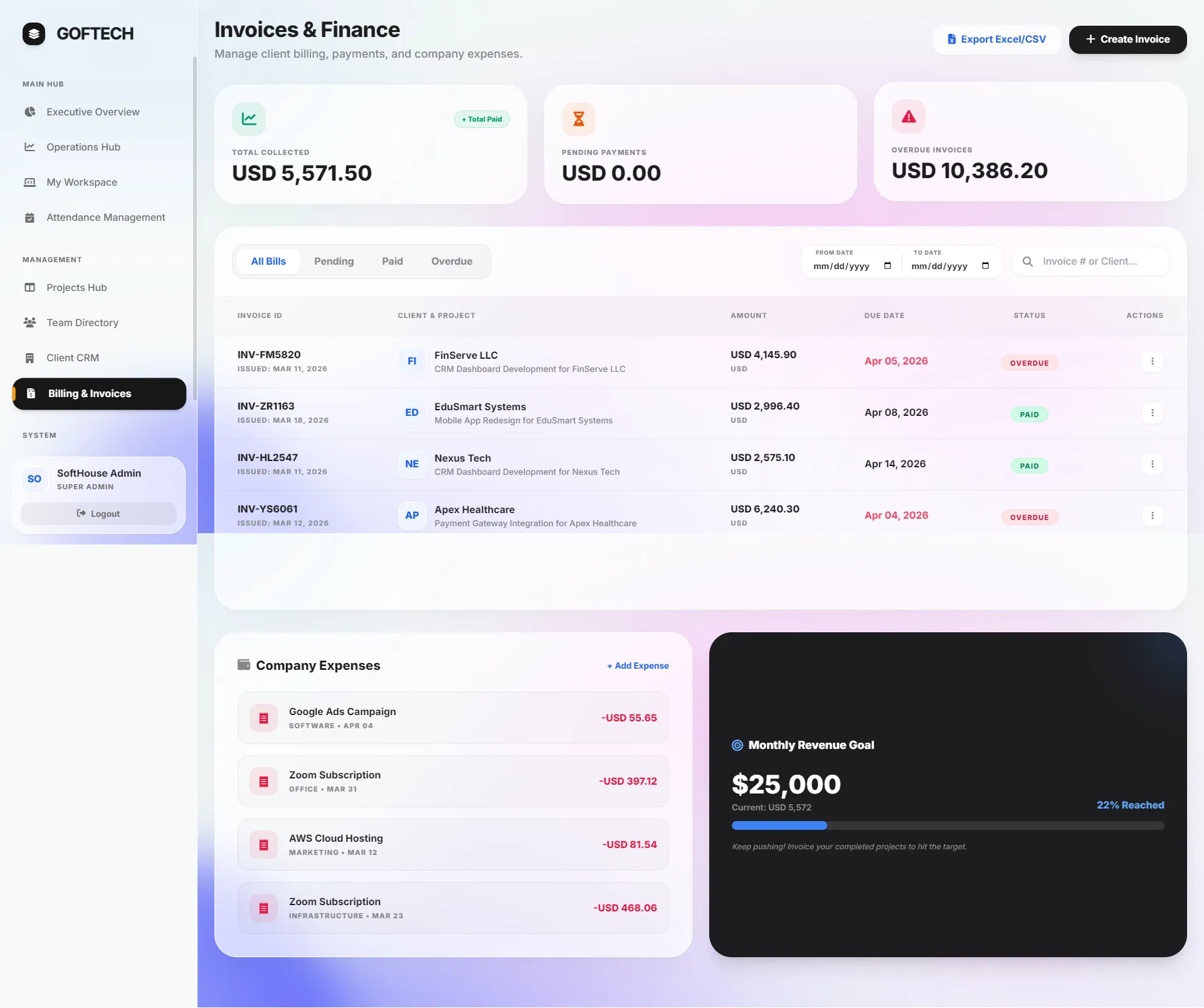
Clients carry their own currency, tax rate and payment terms. Invoices fill in tax and due date from those settings, can be marked paid or exported to CSV, and download as PDF.
Secure client portal
Clients log in to see the progress of their own projects and download their own invoices. Ownership is checked on the server for every project page and PDF download.
Inside the product
Screens from the software itself. Design prototypes and illustrative mockups are labelled as such.
Development and architecture
SoftHouse Pro is a server-rendered Laravel 12 monolith. Each module is a full-page Livewire 3 component (22 in total), with Alpine.js handling client-side interactions such as drag and drop and the live task timer. The data layer has 20 Eloquent models over a MySQL schema built from 28 migrations.
Business logic lives in the Livewire components, and multi-table writes run inside database transactions. The interface uses Tailwind CSS built with Vite, ApexCharts for dashboard charts and a glassmorphism visual style. I deployed it to shared hosting on a subdomain for the agency.
- Role-based access and ownership checks
- Authentication uses Laravel Breeze with a role field on each user. Route groups are gated by a custom middleware that accepts several roles, and server-side checks limit associates to their own profile and clients to their own projects and invoices.
- Attendance anti-fraud
- I combined an office IP whitelist from organization settings with a per-day device cookie, plus a per-employee remote-work bypass, so attendance stays fair without blocking remote staff.
- Explainable performance formula
- I chose a deterministic weighted score instead of a black box: 60% task completion and 40% attendance reliability, with partial credit for late (0.8) and half-day (0.5) records and fallbacks when one side has no data.
- Scheduler-driven notifications
- A Laravel scheduled command runs every minute and sends late-arrival emails through Laravel Mail, keyed to the configurable office start time and grace period.
- Billing from client settings
- Invoice due dates are derived from each client's payment terms, such as Net 15, and tax is applied from their billing settings. Invoices render to PDF with DomPDF and lists stream out as CSV.
- Reusable attachments and shared settings
- File attachments use a polymorphic relation shared through a trait. Organization settings are shared with every view, guarded so the app can still boot before migrations have run.
Technology
- Laravel
- PHP
- Livewire
- Alpine.js
- Tailwind CSS
- MySQL
- Vite
- Laravel Breeze
- DomPDF
- ApexCharts
Related projects
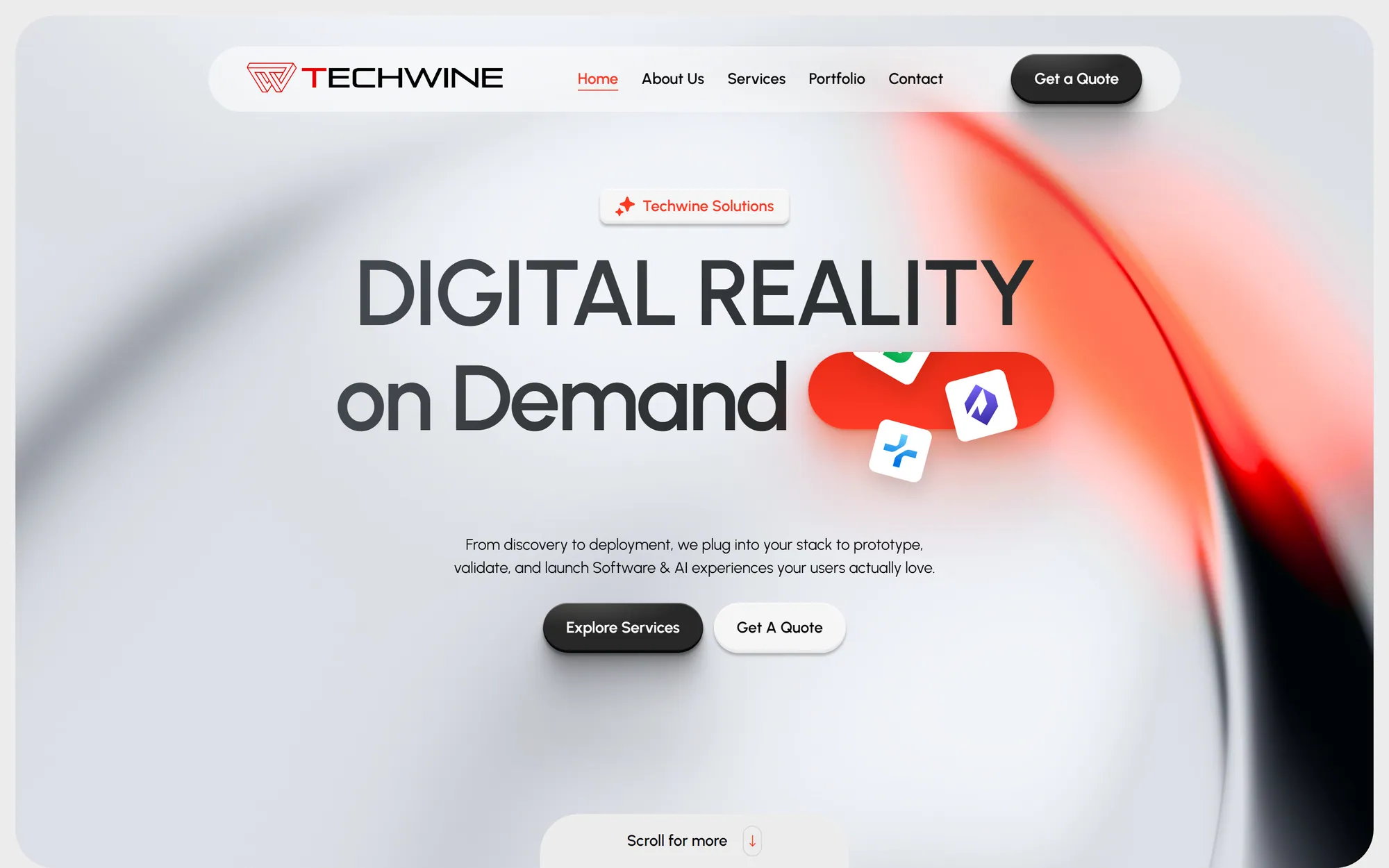
Agency website and custom CMS
Techwine Solutions
The website of my software agency, backed by a custom Laravel and Livewire CMS for services, case studies, SEO and leads.
- Web application
- Business system
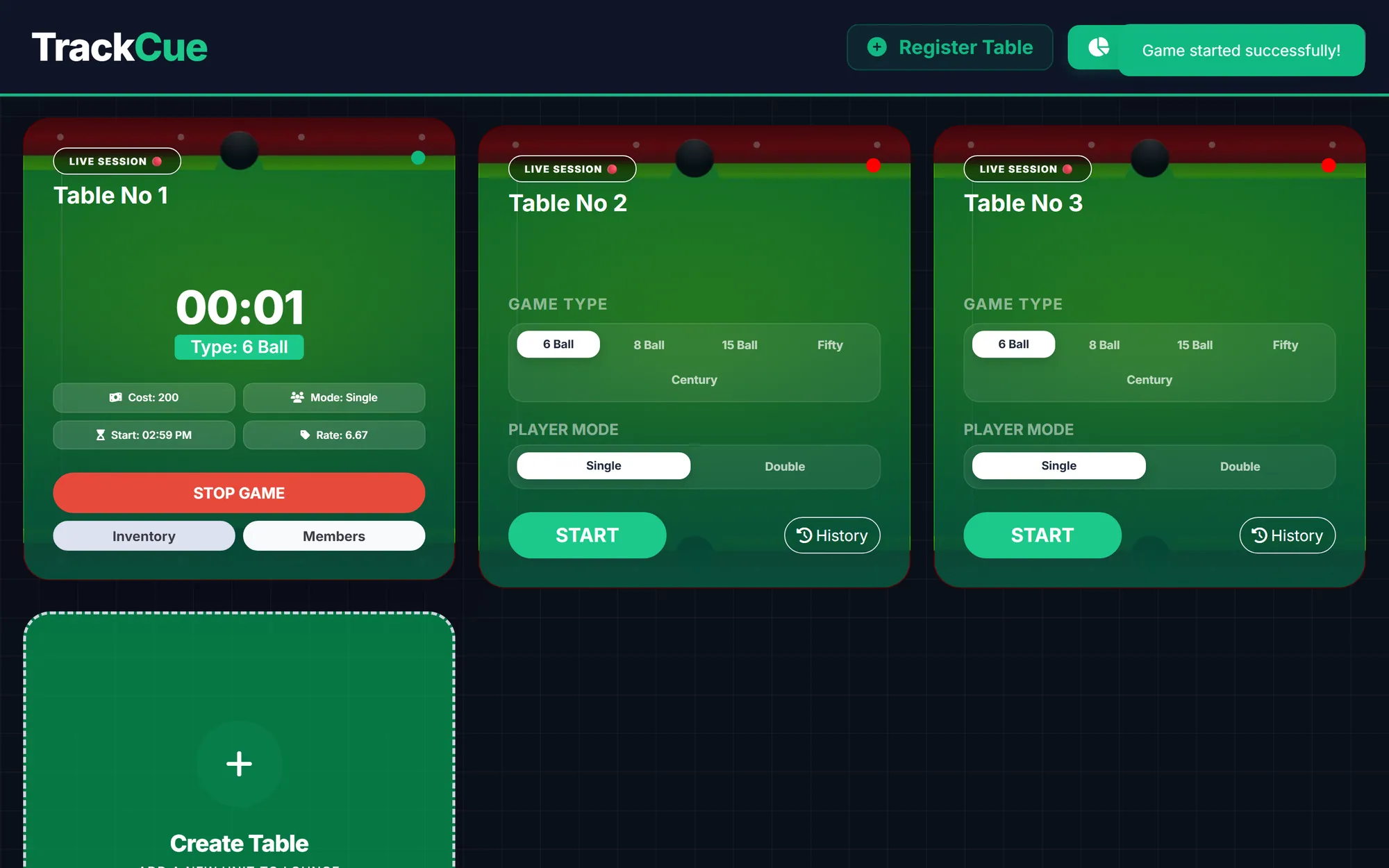
Snooker club management SaaS
Track Cue
A multi-tenant SaaS for snooker and billiard clubs, covering live table timers, game billing, member credit, canteen stock and expenses.
- Web application
- SaaS product
- Business system
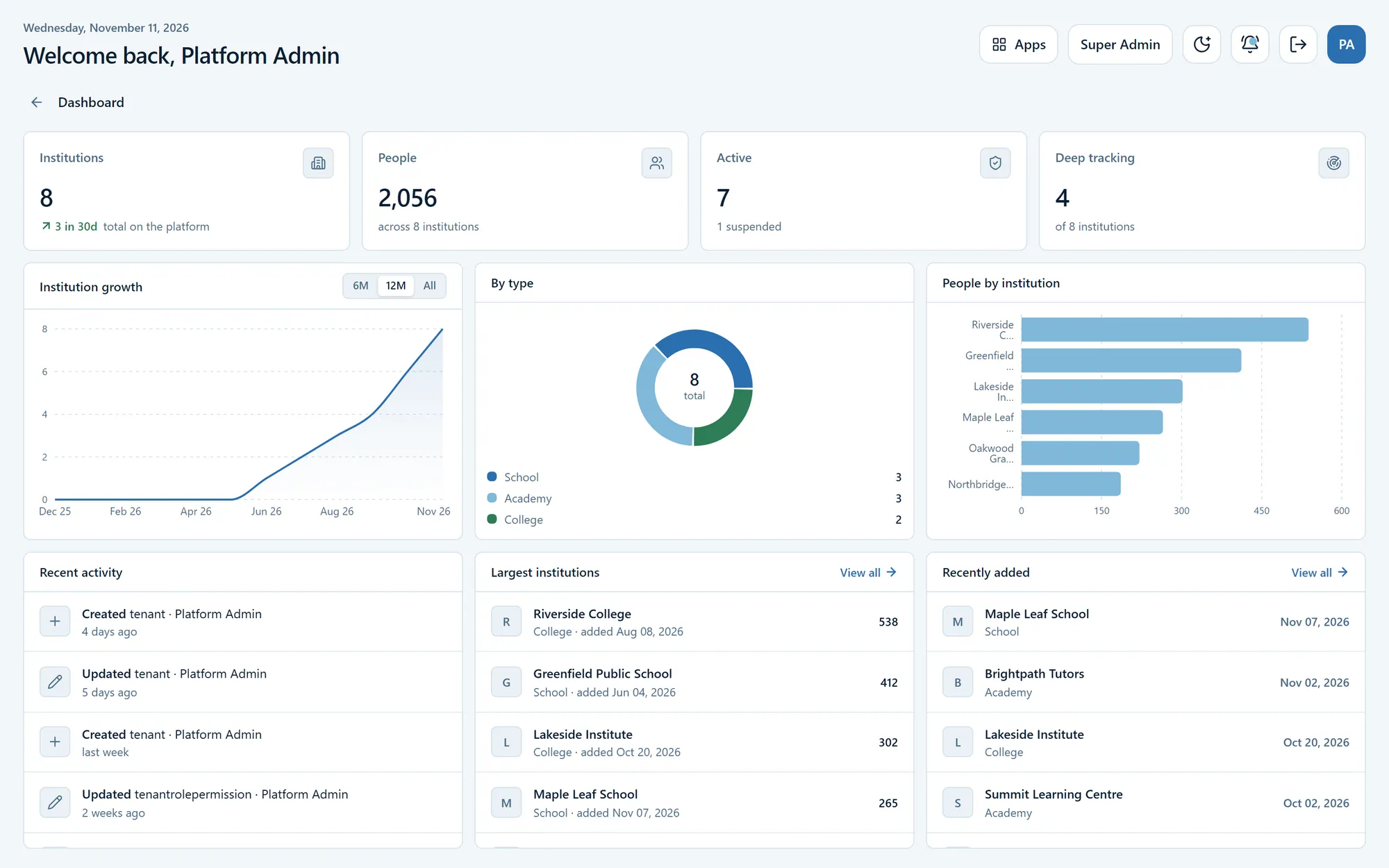
Security & architecture hardening
CampusPro
A multi-tenant management platform for schools, colleges and academies, which I audited and hardened for security, tenant isolation and data integrity.
- Web application
- SaaS product
- Business system
Have a software idea or a business process that needs a proper system?
Tell me what you are trying to fix. I will reply with honest questions, a practical plan and a realistic estimate.